




How to Automate Your Customer Conversations with AI Using Amply360
How to Automate Your Customer Conversations with AI Using Amply360
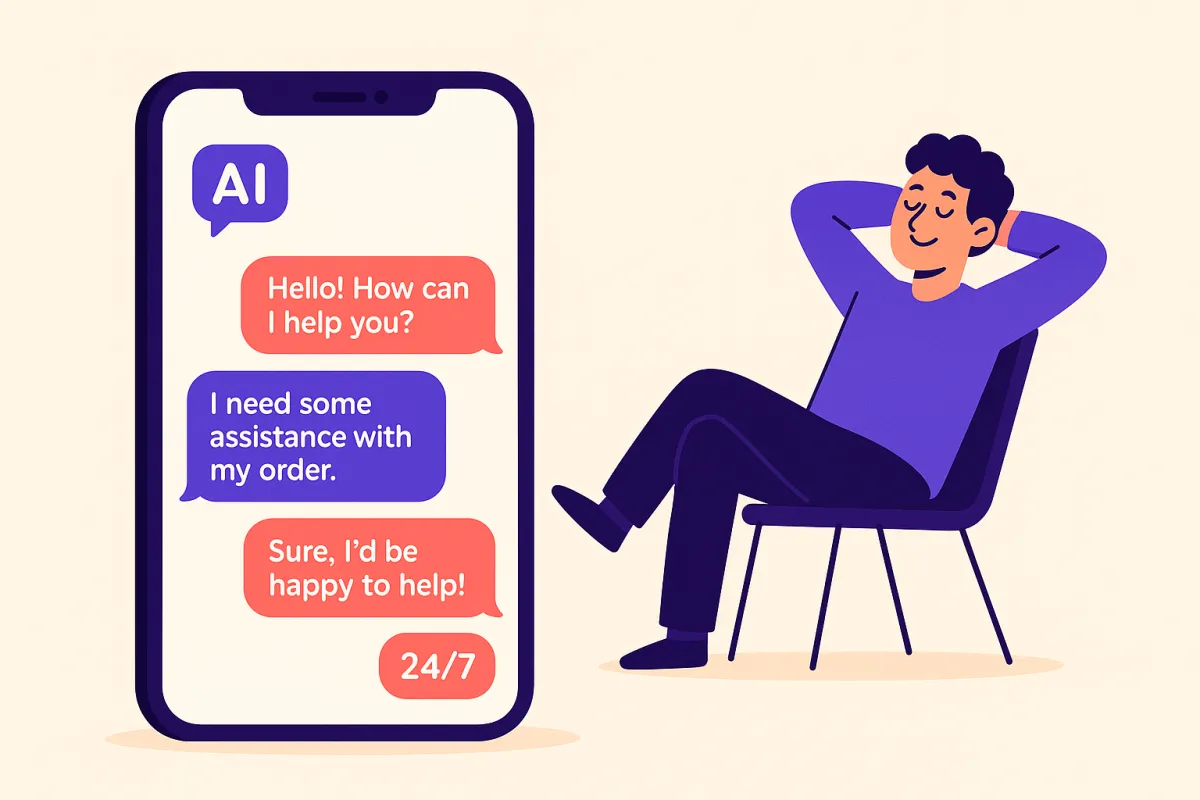
What if every customer question got answered instantly, even at 2am on a Sunday? That's exactly what AI-powered conversation automation makes possible. And with Amply360, setting it up is simpler than you might think.
In this guide, we'll walk you through exactly how to automate your customer conversations step by step, so you can stop being on-call 24/7 and let AI handle the front line.
Time you'll get back: 3–5 hours per week
Why Customer Conversation Automation Is a Game-Changer
Most small business owners are answering the same questions on repeat: "What are your prices?", "Are you available on Thursday?", "How does it work?" These are important conversations, but they don't need you to happen.
AI chatbots and automated messaging can handle these conversations instantly, qualify leads, book appointments, and even close sales — all without human intervention.
Step-by-Step: Setting Up AI Conversation Automation in Amply360
Step 1: Log In and Navigate to Conversation AI
From your Amply360 dashboard, head to the Conversation AI section in your left-hand menu. This is your command centre for building AI-powered chat automations.
Here you'll be able to create a new AI agent, train it with your business information, and decide where it shows up — whether that's your website chat widget, Facebook Messenger, SMS, or Instagram DMs.
Step 2: Create Your AI Agent
Click "Create New Agent" and give your agent a name — something that reflects your brand. Next, set your agent's personality and tone. Choose from professional, friendly, or casual — whatever best matches how your brand communicates. This ensures every automated response sounds on-brand, not robotic.
Step 3: Train Your Agent with Your Business Information
This is where the magic happens. Feed your AI agent the information it needs to answer customer questions accurately:
Upload your FAQs
Add your services and pricing information
Include your business hours and location
Link to your website pages and blog content
Add any policies (refunds, bookings, etc.)
The more information you provide, the smarter your agent becomes. Amply360's AI will use this knowledge base to respond accurately to a wide range of customer enquiries.
Step 4: Connect Your Agent to Your Channels
Now, decide where your AI agent will work. In Amply360, you can deploy your agent across multiple channels from one place:
Website Chat Widget — Engages visitors the moment they land on your site
SMS — Responds to inbound text messages automatically
Facebook Messenger — Handles DMs from your Facebook page
Instagram DMs — Responds to Instagram enquiries instantly
Google Business Messages — Answers questions directly from Google Search
You can activate all channels or just the ones most relevant to your business. Each channel is managed from the same dashboard — no juggling multiple tools.
Step 5: Set Up Smart Handoff Rules
Not every conversation should be handled by AI. Set clear handoff rules so your agent knows when to pass the conversation to a human:
When a customer expresses frustration or uses negative language
When a question falls outside the knowledge base
When a lead is hot and ready to buy
After a certain number of exchanges
In Amply360, you can assign handoffs to specific team members and set notifications so you're alerted the moment a conversation needs your attention.
Step 6: Test, Launch, and Optimise
Before going live, use Amply360's built-in test mode to run conversations through your agent and check the responses. Make sure it handles your most common questions correctly.
Once live, check back regularly to review conversation logs. You'll quickly spot any gaps in your training data — and the more you refine it, the better your agent performs.
What This Looks Like in Practice
Imagine a potential customer visits your website at 11pm. They have a question about your pricing. Instead of waiting until the next morning for a reply, your Amply360 AI agent responds instantly, answers their question, and even books them in for a discovery call — all while you sleep. By the time you wake up, you have a qualified appointment in your calendar.
Ready to Set This Up?
You don't need to be technical to get this running in Amply360. Our team can have your AI agent live and handling conversations within 24 hours.
📞 Book a free strategy call with Amply360 and we'll walk you through the entire setup — step by step.
This is one of 5 ways AI can free up 10+ hours a week for small business owners. Read the full guide here →
Frequently Asked Questions
Q: What is an AI chatbot for small businesses?
An AI chatbot automatically responds to customer questions across website, SMS and social media 24/7 — handling enquiries, qualifying leads and booking appointments without human input.
Q: How long does it take to set up an AI chatbot in Amply360?
Most users have their chatbot live within 24 hours. Setup is guided. You just create your agent, train it with your business info, connect your channels, test and launch.
Q: Will an AI chatbot replace my customer service team?
No. It handles repetitive FAQs so your team can focus on complex, high-value interactions. Smart handoff rules pass conversations to a human whenever needed.
Q: Which platforms does the Amply360 chatbot work on?
Website chat, SMS, Facebook Messenger, Instagram DMs and Google Business Messages — all managed from one dashboard.
Q: What happens when the AI can't answer a question?
Amply360's handoff rules automatically route the conversation to a team member with a real-time notification.
Q: How does AI conversation automation save time?
It saves 3 to 5 hours per week by handling repetitive enquiries about pricing, availability and services — automatically, around the clock.
Q: Can I customise how my chatbot sounds?
Yes. Set your agent's name, tone (professional, friendly or casual) and personalise responses to match your brand voice exactly.
Q: Is an AI chatbot suitable for non-technical business owners?
Absolutely. No coding required. You simply provide your business information through a guided setup process in Amply360.